
Branding
Personalize every public track and playlist page with your own theme, logo, bio, and social links
Custom Branding lets you personalize every public share page for your tracks and playlists. When someone visits a link like finetuning.ai/t/{id}, the page renders with your branding instead of the platform default.
Custom Branding is available on the Pro plan and AppSumo Lifetime Tier 2+. Free and Plus users see the default Midnight theme on their public pages.
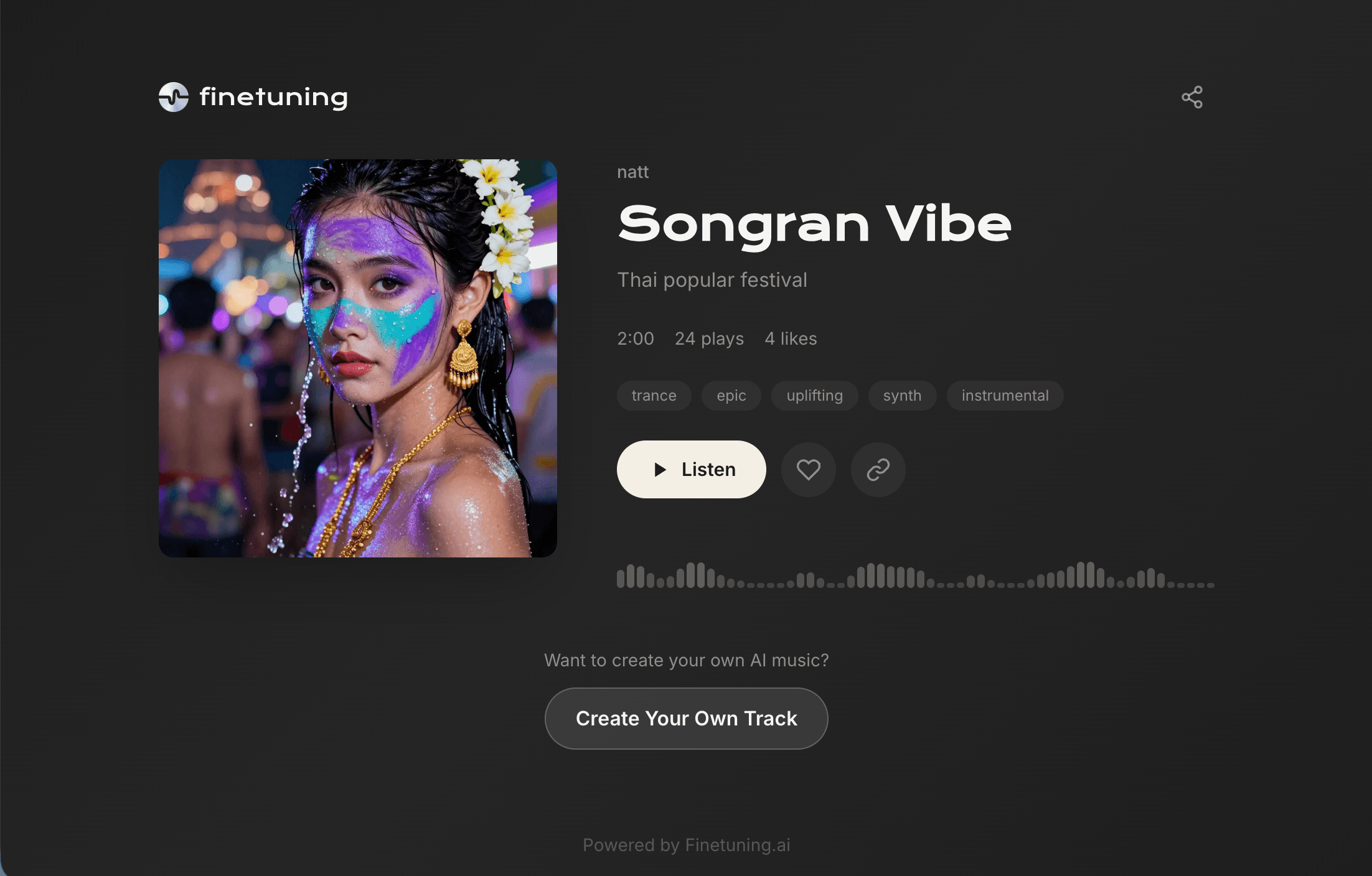
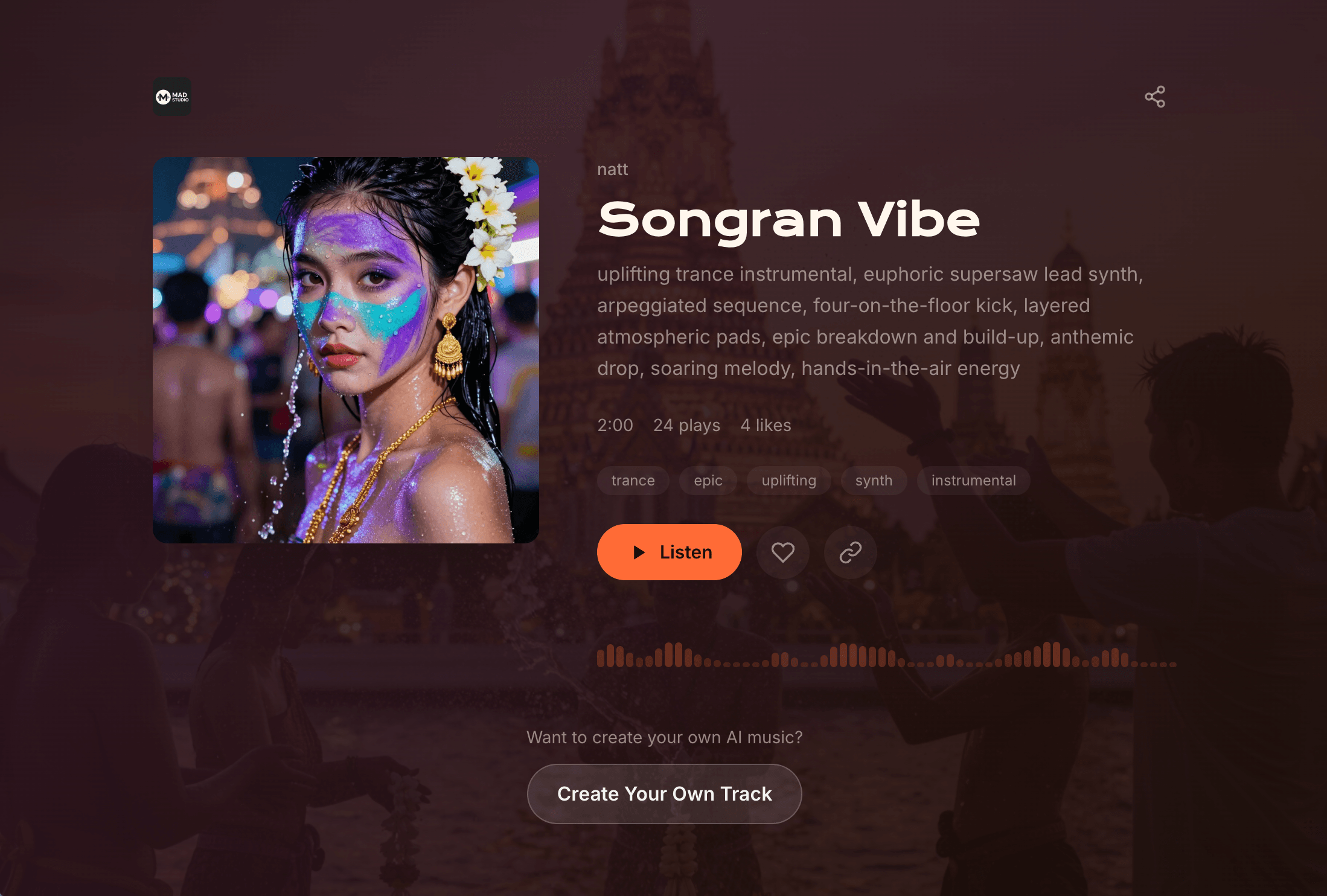
Before & After
A standard share page on the default theme vs. the same kind of page with full custom branding applied.
What You Can Customize
Artist-Level Defaults
These apply to every public page you share, unless overridden on an individual track or playlist.
| Setting | Description | Limits |
|---|---|---|
| Theme Preset | Choose from 10 predefined color themes | See theme list below |
| Accent Color | Override the button/highlight color with any hex value | Valid hex (#RRGGBB) |
| Background Image | Custom background for all public pages | Displayed at 10% opacity |
| Logo | Custom artist logo replacing the Finetuning.ai logo | Shown top-left of share page |
| Bio | Short artist biography shown on share pages | Max 300 characters |
| Social Links | Twitter/X, Instagram, TikTok, YouTube, Website | Shown below bio |
| Hide Platform Branding | Remove the "Powered by Finetuning.ai" footer badge | Toggle on/off |
Per-Track / Per-Playlist Overrides
| Setting | Description | Limits |
|---|---|---|
| Theme Preset | Override your artist default for a specific track or playlist | Same 10 presets |
| Public Description | Custom text for sharing and link previews | Max 500 characters |
Where to Set It Up
Artist Branding (global defaults)
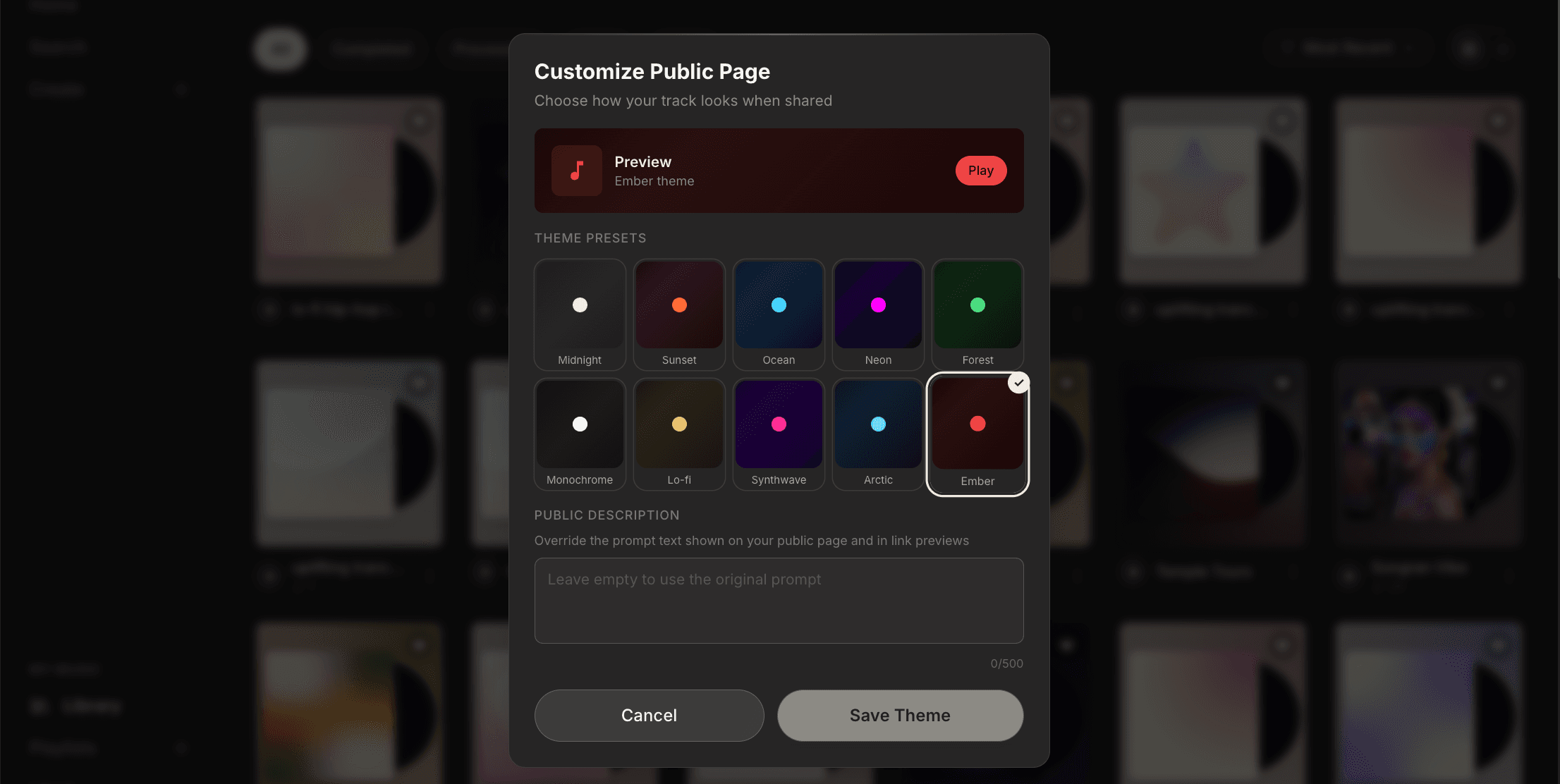
Go to Profile → Branding tab (app.finetuning.ai/profile?tab=branding). This is where you configure your default theme, upload a logo and background, write your bio, and add social links.
Per-Track or Per-Playlist Theme
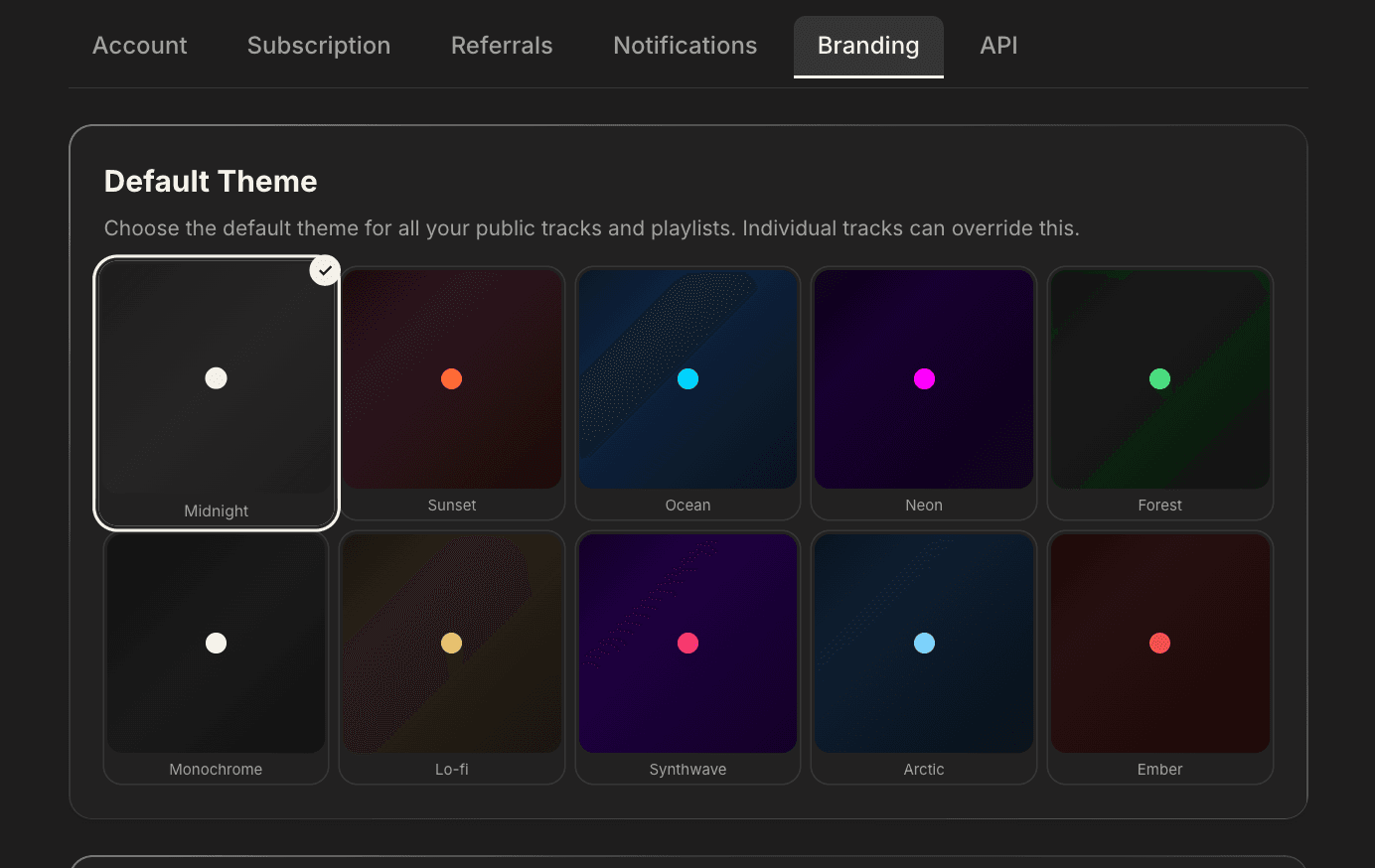
From your Library, open the three-dot menu (⋯) on any track or playlist and select "Customize public page". A modal opens with the theme preset picker and a public description field.
Theme Cascade
The default theme is set at the branding level (Profile → Branding) and applies to all your shared pages. If you want to override that theme for a specific song or playlist, set it at the music level directly on the track. The track-level theme always wins over your artist default.
When a public page renders, the theme is resolved in this priority order:
- Per-track or per-playlist theme — if set, this wins
- Artist brand defaults — from your Profile → Branding tab
- Platform default — the "Midnight" theme
This lets you keep a consistent global brand while still styling individual releases differently — for example, a Synthwave theme on a retro track and your default Ocean theme everywhere else.
Available Themes
| Theme | Vibe | Accent | Background |
|---|---|---|---|
| Midnight | Default warm | #f3efe4 cream | Dark charcoal gradient |
| Sunset | Warm orange | #ff6b35 orange | Deep red-brown gradient |
| Ocean | Cool blue | #00d4ff cyan | Dark navy gradient |
| Neon | Electric pink | #ff00ff magenta | Deep purple gradient |
| Forest | Natural green | #4ade80 green | Dark green gradient |
| Monochrome | Clean B&W | #ffffff white | Pure dark gradient |
| Lo-fi | Warm vintage | #e8c170 gold | Warm brown gradient |
| Synthwave | Retro 80s | #ff2d95 hot pink | Deep purple gradient |
| Arctic | Icy calm | #7dd3fc light blue | Dark blue-gray gradient |
| Ember | Dark red | #ef4444 red | Dark red gradient |
What Visitors See
When someone visits a shared page, the layout includes:
- Top nav — your logo (or the Finetuning.ai logo if not uploaded), plus a share/copy button
- Track hero — cover art, title, public description, stats, and play/like/queue/copy actions
- Artist bio section — your avatar, bio text, and social link icons (if configured)
- Footer — "Powered by Finetuning.ai" badge, hidden if you've toggled off platform branding
- CTA — non-logged-in visitors see a "Want to create your own AI music?" signup prompt
Your branding is applied to all your public track pages and playlist pages.
FAQ
Can I use different themes for different tracks?
Yes. Your profile branding sets the default for all shared pages, but you can override the theme on any individual track or playlist. The per-track theme always takes priority.
Can I remove the "Powered by Finetuning.ai" badge?
Yes. Pro users can toggle this off in Profile → Branding → Hide platform branding for a fully white-label share page.